Getting Started

How to Play on Rainbet

New to crypto gambling? This guide walks you through everything — VPNs, buying crypto, depositing and withdrawing — so you can start playing with code BOYZ.

Step 1 — Importortant

1

Create Your Rainbet Account

Click the button below to visit Rainbet and create your account. Make sure to use our referral code to unlock exclusive rewards and join the leaderboard.
Referral Code:
BOYZ
1
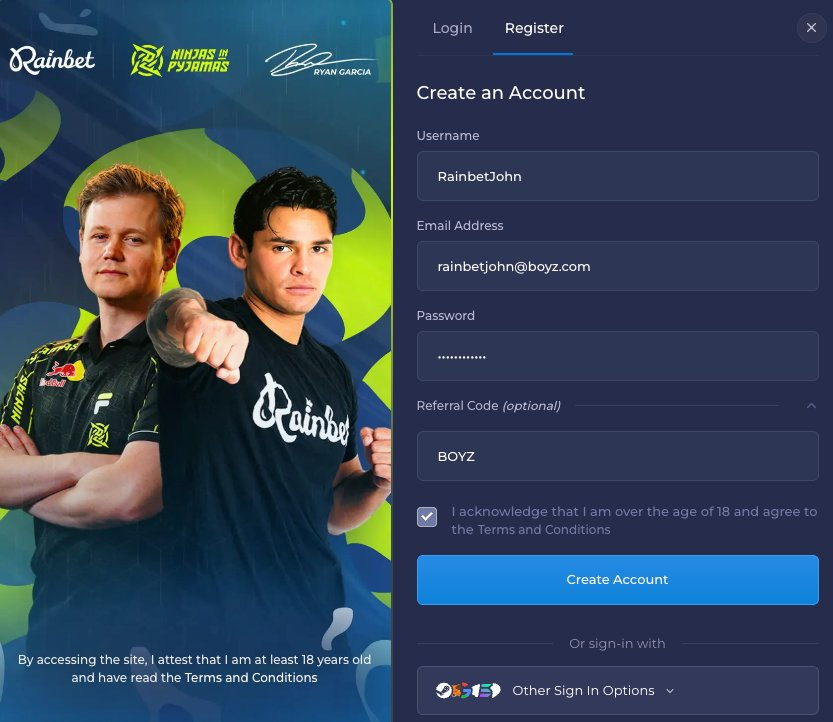
Visit rainbet.com and click Register.
2
Fill in your username, email and password.
3
Open the Referral Code field and enter BOYZ.
4
Tick the age confirmation box and hit Create Account.
Using code BOYZ links your account to TheBoyz — this is required for VIP milestones, leaderboard eligibility and exclusive bonuses.

Step 2 — Recommended

VPN Setup

Rainbet may be restricted in your region. A VPN routes your connection through an allowed country — Ireland or Norway are recommended.

Free Option
Urban VPN

Free browser-based VPN — works well for most users. Available as a Chrome extension or standalone desktop app.

Paid Option
NordVPN

The gold standard for VPNs. Faster speeds, more server locations, and better reliability than free options.

Get NordVPN
Set your VPN location to Ireland or Norway for the best Rainbet experience.

Step 3 — Getting Funds

Cryptocurrency

Rainbet lets you play without address verification, deposit limits, or withdrawal limits when using crypto. By paying with crypto you skip traditional banking restrictions and get faster, borderless transactions.

Get Started with Revolut

1
Create your Revolut account
Tap the link below and complete your signup — takes about 5 minutes.
2
Buy SOL (Solana)
Use your Revolut card or bank transfer to purchase SOL.
3
Transfer SOL to your Rainbet wallet
Send your SOL from Revolut directly into your Rainbet wallet address.
4
Start playing instantly
Your SOL will appear in seconds — you're ready to go.
Open RevolutFree account · iOS & Android
No ID verification required
No deposit or withdrawal limits
Instant transactions with SOL

Step 4 — Buying Crypto

Buying Crypto on Revolut

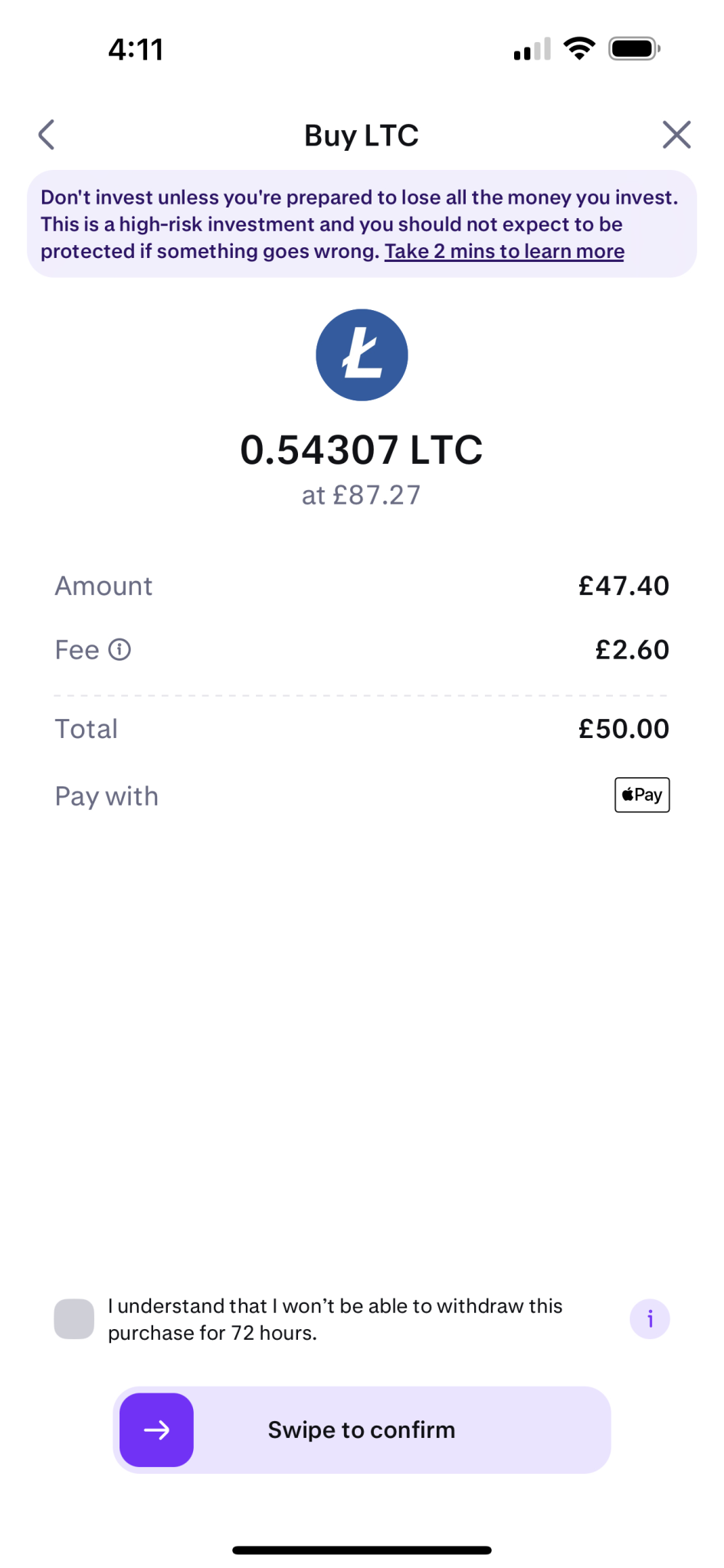
Follow these steps inside the Revolut app to purchase Solana (SOL), which you'll use to fund your Rainbet account.

1
Open the Revolut app.
2
Go to Crypto on the home screen and tap "Get started".
3
In Crypto → Trade, select SOL (Solana).
4
Press Buy, enter your desired amount, and confirm. Start small if you're new.
5
Your SOL balance appears instantly — ready to send.
Why Solana? SOL is used on Rainbet because it's fast, secure, and has very low transaction fees — ideal for crypto gambling.

Step 5

Deposit to Rainbet

Once you have SOL in Revolut, depositing to Rainbet takes about 2 minutes.

1
Log in to rainbet.com (use your VPN if needed).
2
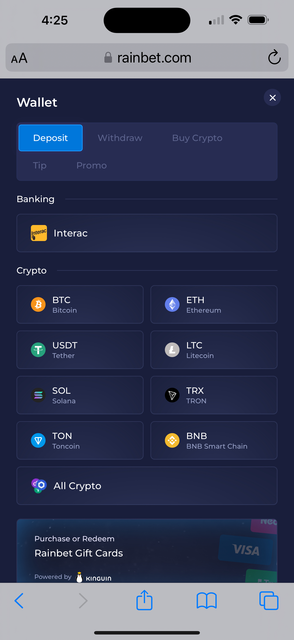
Click the Wallet icon in the top right.
3
Choose SOL — copy your deposit address or scan the QR code.
4
In Revolut: Send → Select Solana → Paste address → Enter amount → Confirm.
5
Refresh Rainbet — your balance updates in 1–2 minutes.
Test with a small amount first before depositing your full balance.

Step 6

Withdraw from Rainbet

Withdrawals are quick — SOL typically arrives in your Revolut wallet within 5–30 minutes.

1
Log in to rainbet.com.
2
Click the Wallet icon in the top right.
3
Select Withdraw → Select SOL.
4
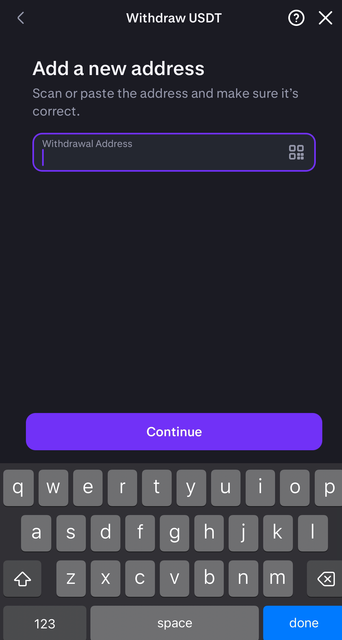
Paste your Revolut SOL wallet address.
5
Enter the amount and confirm. Enable 2FA if prompted.
6
Wait 5–30 minutes. SOL arrives directly in your Revolut wallet.
Test with a small amount first before withdrawing your full balance.
Taking longer than 30 minutes? Check solscan.io with your TXID to track the transaction.

Need More Help?

Join the Discord and open a support ticket — the team will get back to you as soon as possible.

Join the Discord